Step 1
Create a Habit
Habit is on in every new account.
Add a habit
Open the Habit page and click New habit. Pick Habit, Counter, Water Intake or Last Done.
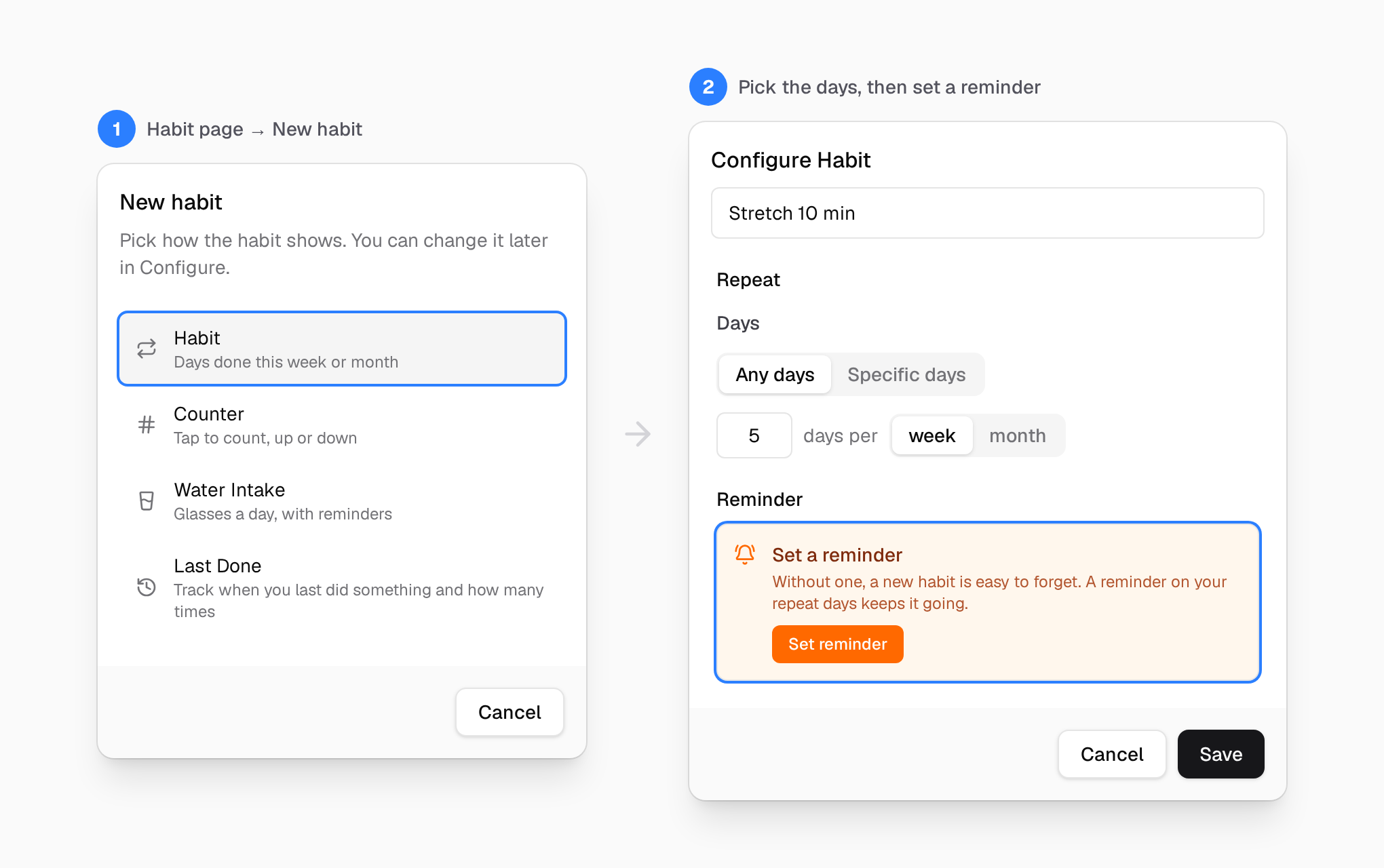
Set a reminder
Give it a name, choose how often, and click Set reminder. The reminder brings the bot. Without a reminder, there is no face.
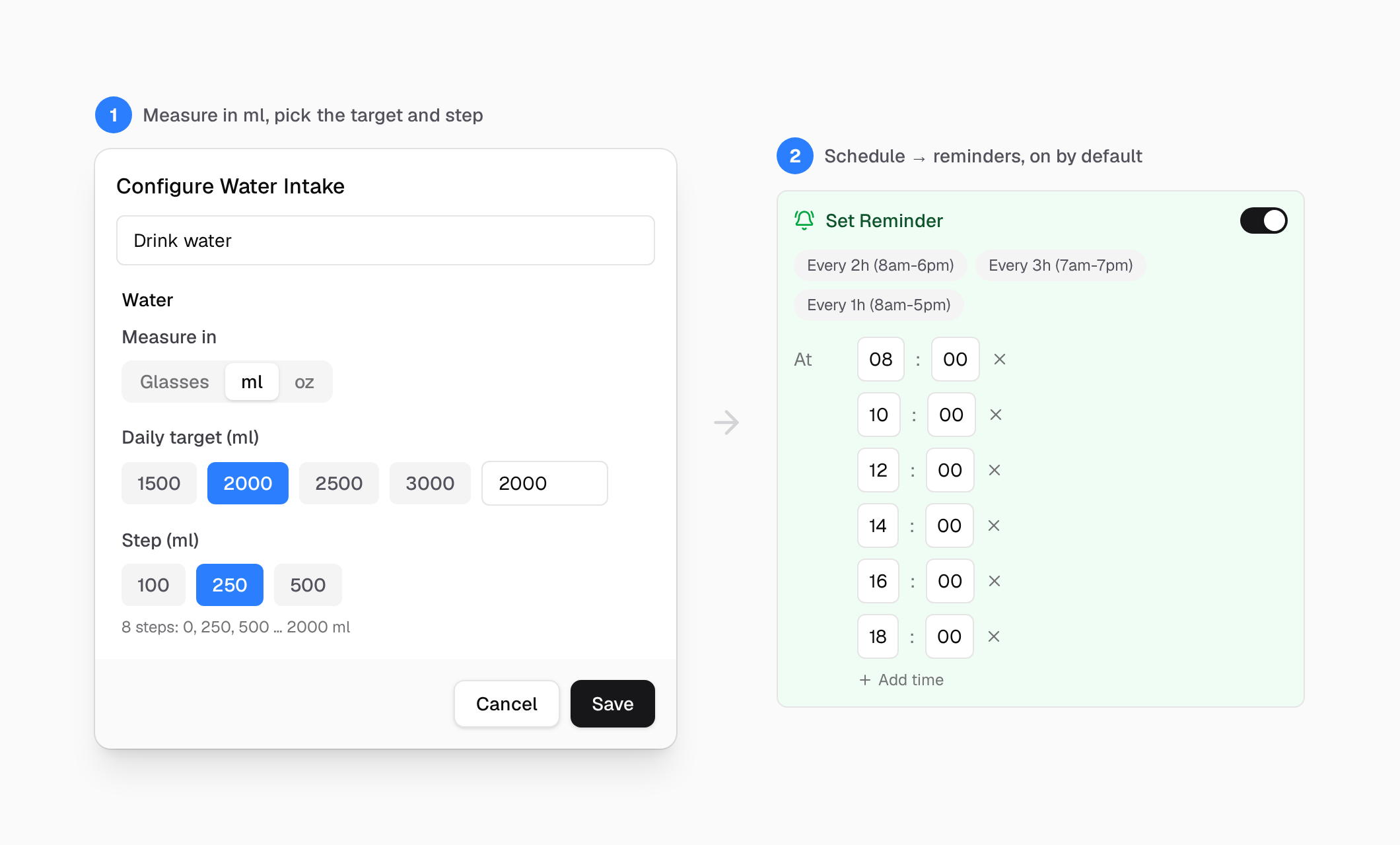
Step 2
Answer the Bot
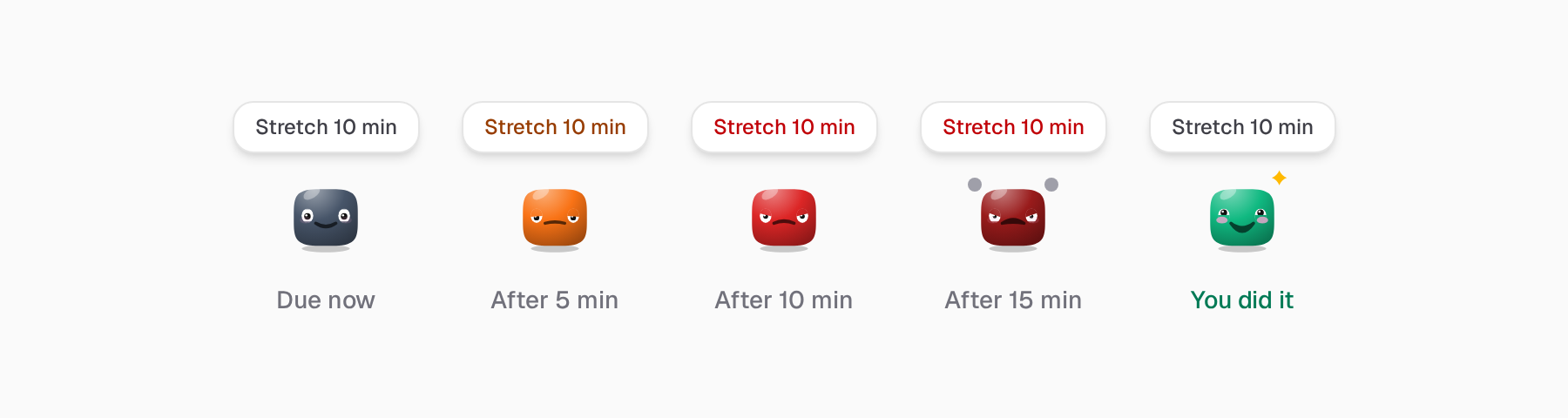
When a habit is due, its bot comes to the corner of your screen and stays there.
Do not keep it waiting
Ignore it, and it gets annoyed after 5 minutes, angry after 10 and furious after 15. Do the habit, and it beams.
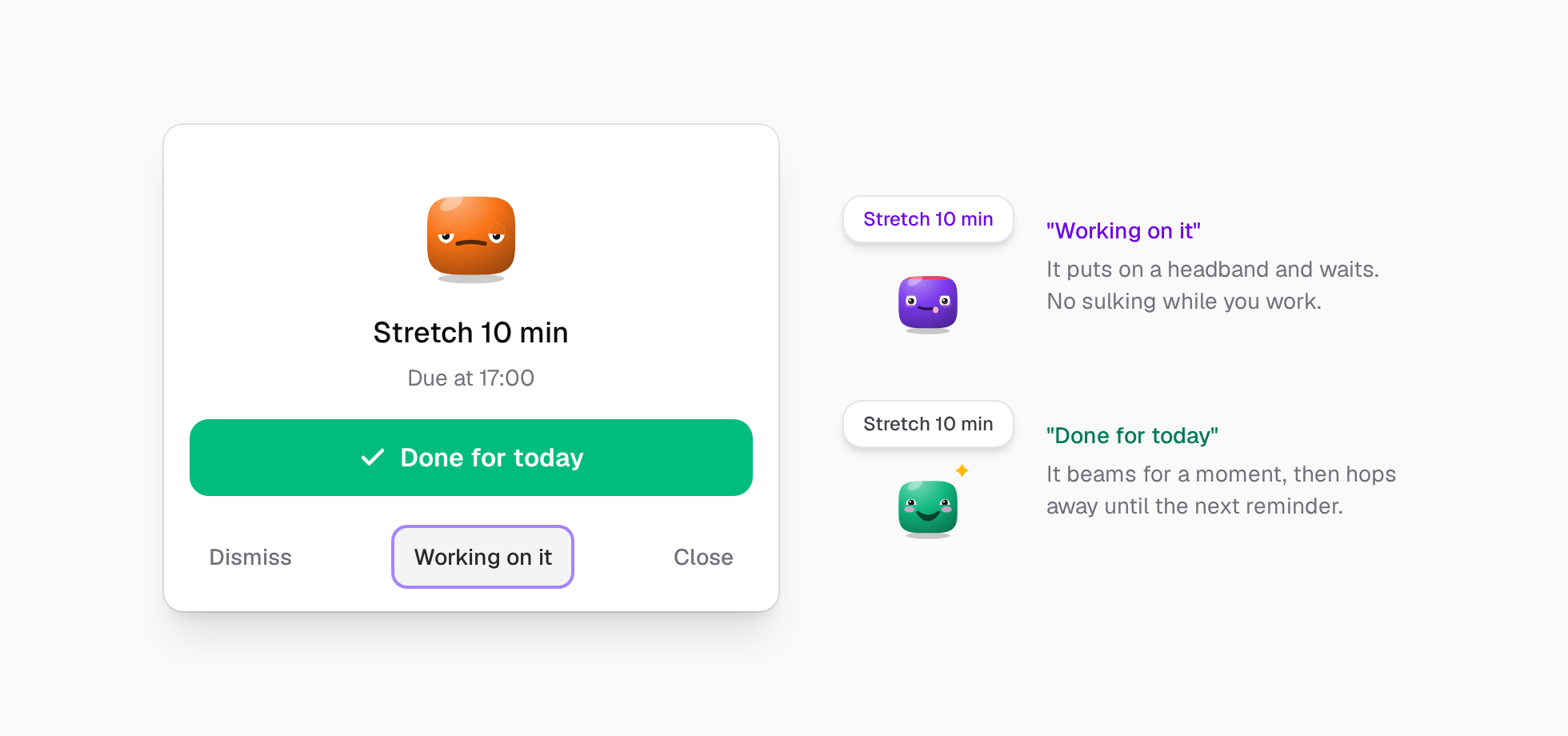
Done, or working on it
Click the bot. Tap Done for today when you did it. Tap Working on it when you started, and it waits patiently.
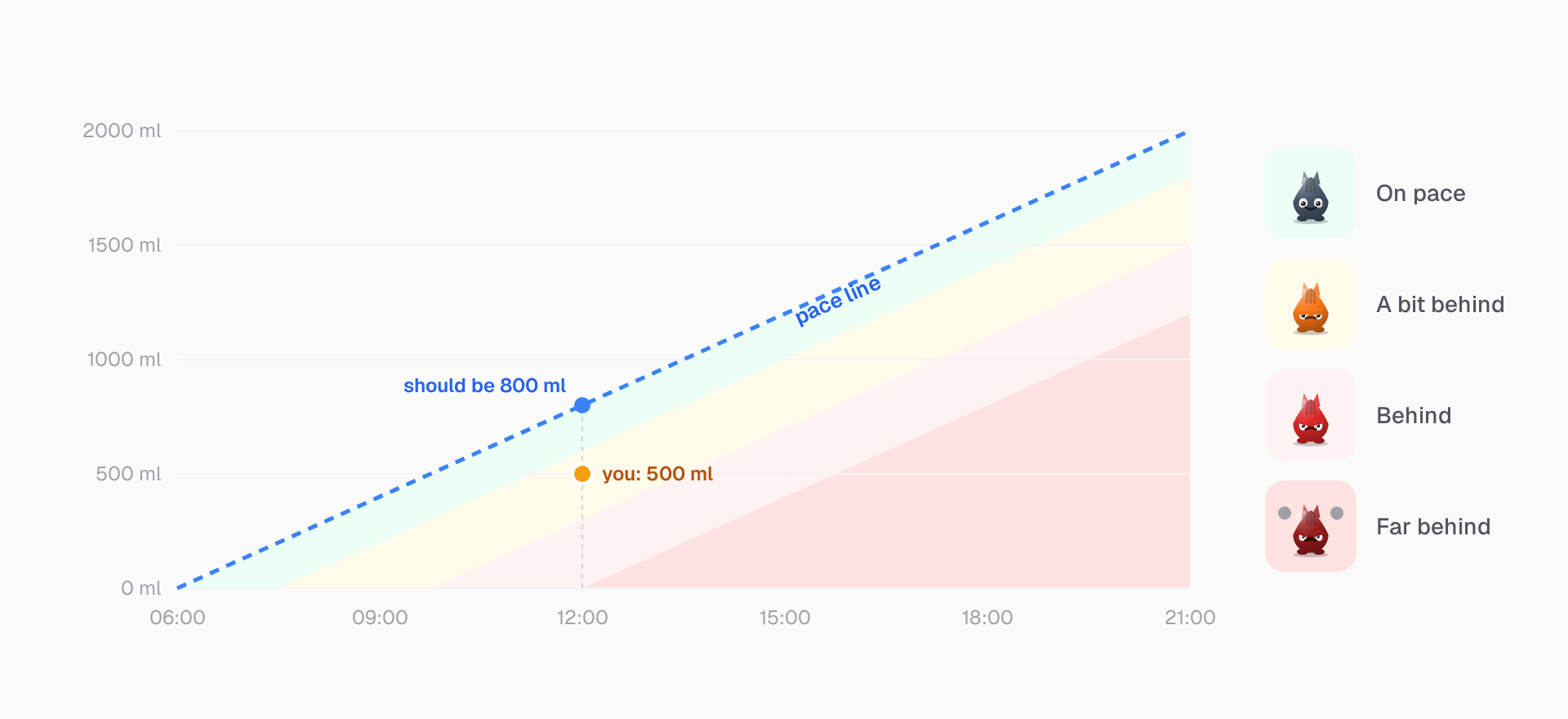
Drink water on pace
OptionalA Water Intake habit compares what you drank with a pace line from 06:00 to 21:00. Fall behind, and the bot gets annoyed at noon, not at night.
Other paths
Focus with Today
The classic way: plan the day, then work through it in focus sessions.
See the stepsFocus with Things
A short list of what you are doing now, and a timer for the time, not for one task.
See the stepsReach a Goal
Keep the goal in view, and attach a challenge that moves it.
See the stepsRemember What Is Coming
Reminders and events that find you, even when the app is closed.
See the stepsReady to Start?
Pick one path. Try it for a week.
30-day free trial. No credit card required.