Your Productivity System Is Your New Procrastination
Sunday afternoon. You spend three hours on a new dashboard. Tags for every area of your life. Colors for priority. A template for weekly reviews. A view for this month, a view for this quarter. It looks perfect.
On Monday morning you open it, and you do not know where to start.
I built Clarity because a Notion setup never worked for me. If you have the same problem, you might need it too.
Why setup feels so good
Setting up a system feels like progress. You make decisions, you see results, and the page looks better every minute. But nothing in your life has moved. The report is not written. The run did not happen.
Setup is also safe. Nobody fails at choosing colors. Real work can go wrong, and setup cannot, so your brain is happy to stay there.
And it never ends. Every new app comes with a new setup. Every setup needs care: tags to clean up, views to fix, templates to update. After a few weeks, the system is one more task on your list, and usually the first one you skip.
The rule: earn each feature
The fix is not a better system. It is a smaller one, and a rule for when it may grow.
- Start with one list for today. No projects, no tags, no categories.
- Use it for one week before you add anything.
- Add a feature only when you feel a specific pain, and say the pain out loud. "I keep forgetting my goals." "I keep dropping my habits." "My work and my side project are mixed together."
- If you cannot name the pain, you do not need the feature.
A feature you added because of a real problem gets used. A feature you added because it looked useful in a video gets maintained, and then abandoned.
How Clarity is built for this
Clarity follows this rule by default. A new account starts almost empty, on purpose.
1. Day one: one page
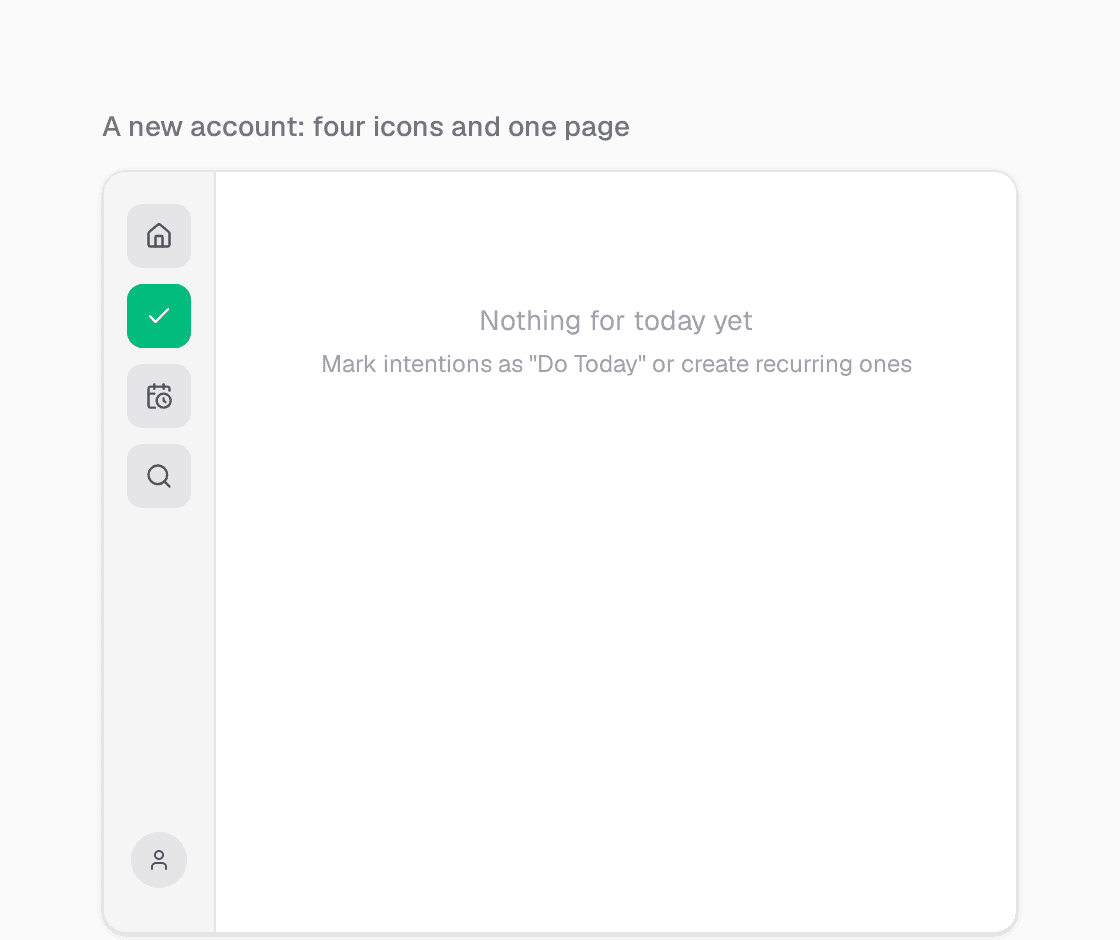
When you sign up, you get Today: a single page for what you are doing today, and nothing else. The sidebar has four icons: Home, Today, Scheduled and Search. There is nothing to set up before you can start.
2. A few card types, not twenty
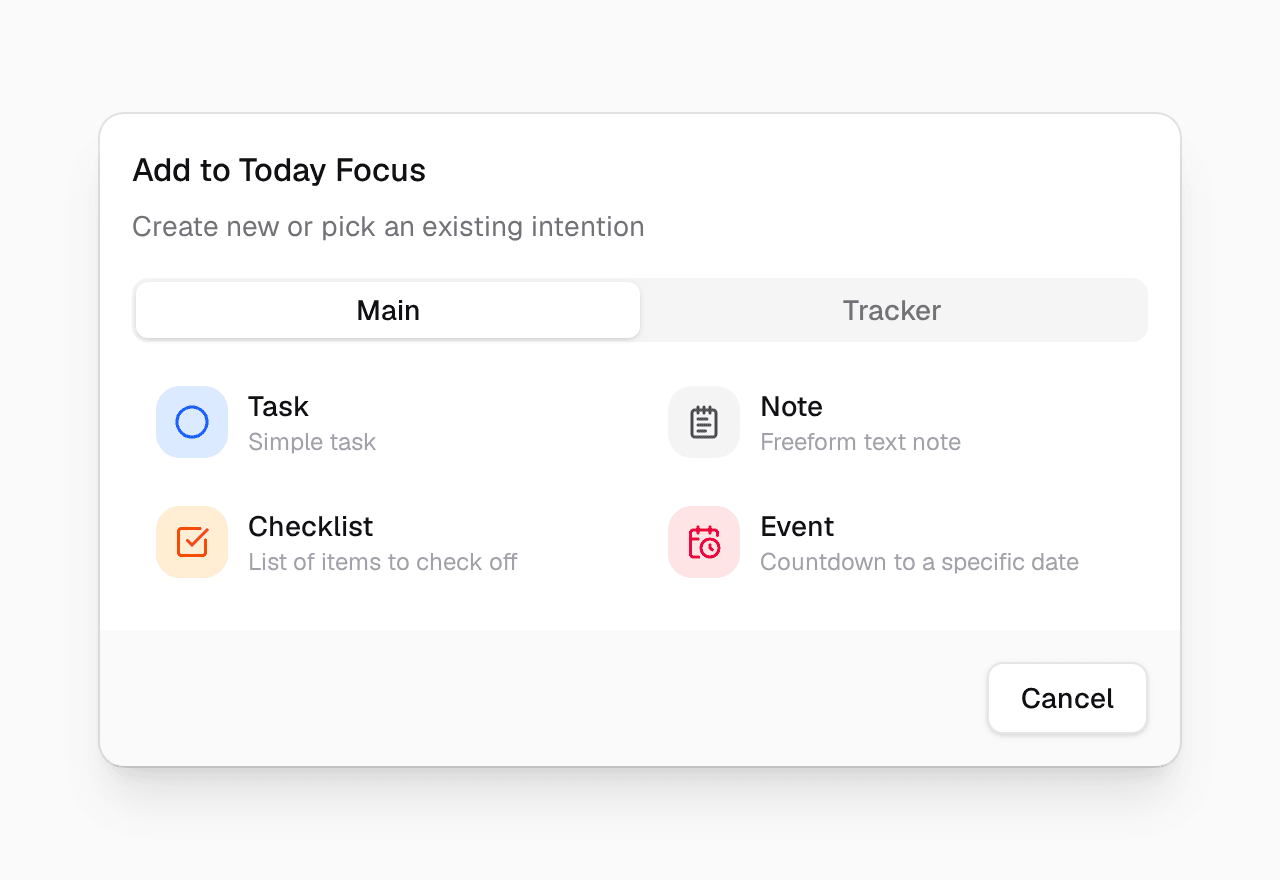
When you add something, you choose from a short list: Task, Note, Checklist and Event, plus a Tracker tab for numbers you want to reach. Quotes, links, boards and diagrams exist, but they stay hidden until you ask for them.
3. Every other feature waits, switched off
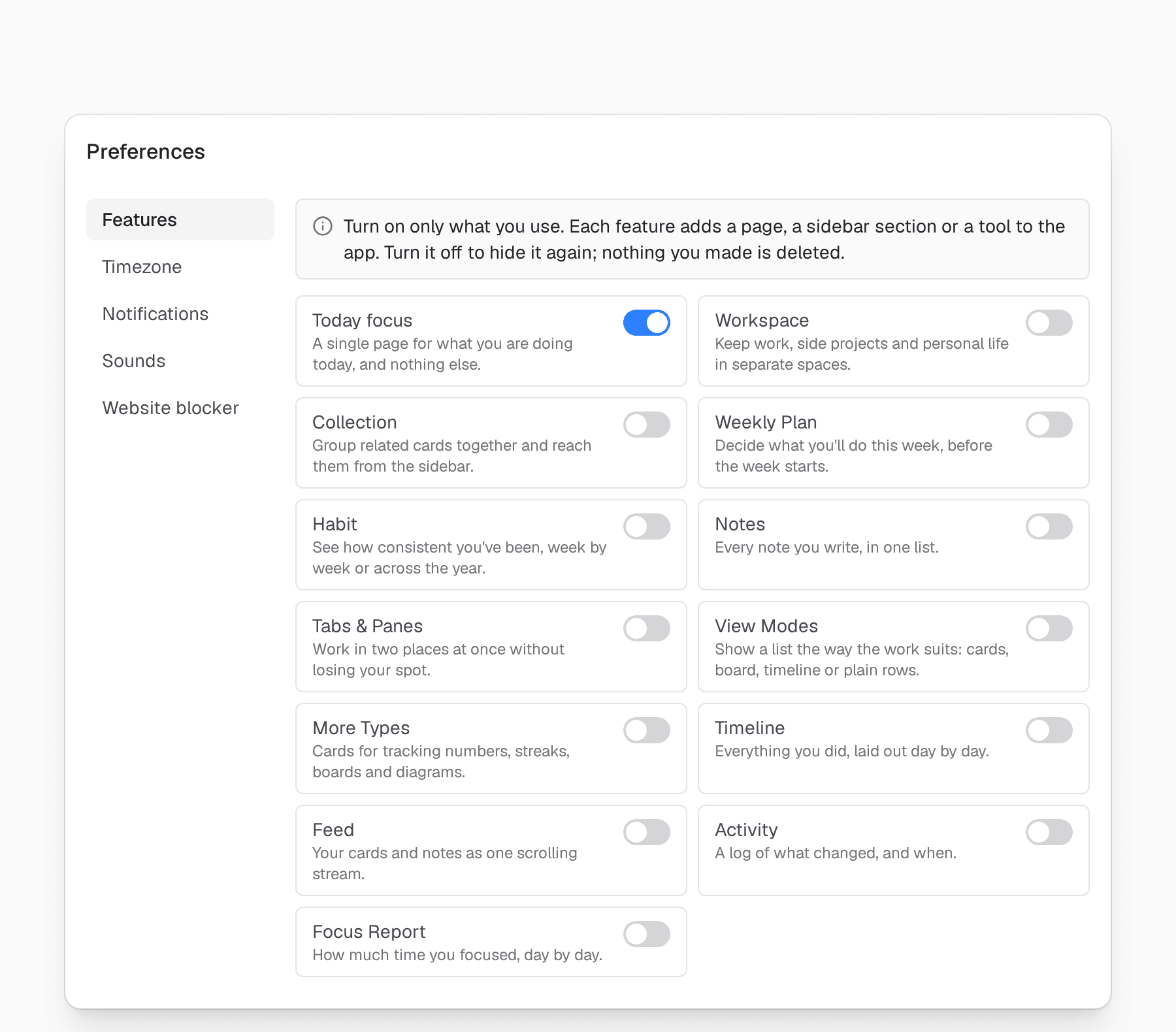
Open Preferences → Features. Only Today is on. The other twelve features are off, and each one says in one line which problem it solves. The page itself gives the same advice as this article:
Turn on only what you use. Each feature adds a page, a sidebar section or a tool to the app. Turn it off to hide it again; nothing you made is deleted.
4. Turn one on when you feel the pain
Say that after a few weeks you notice the pain: "I keep forgetting my goals." That is the line next to Collection. Turn it on, and a Collections section appears in your sidebar. Create one called Goal, and you have the system from You Had a Goal Last Month. Do You Remember It?
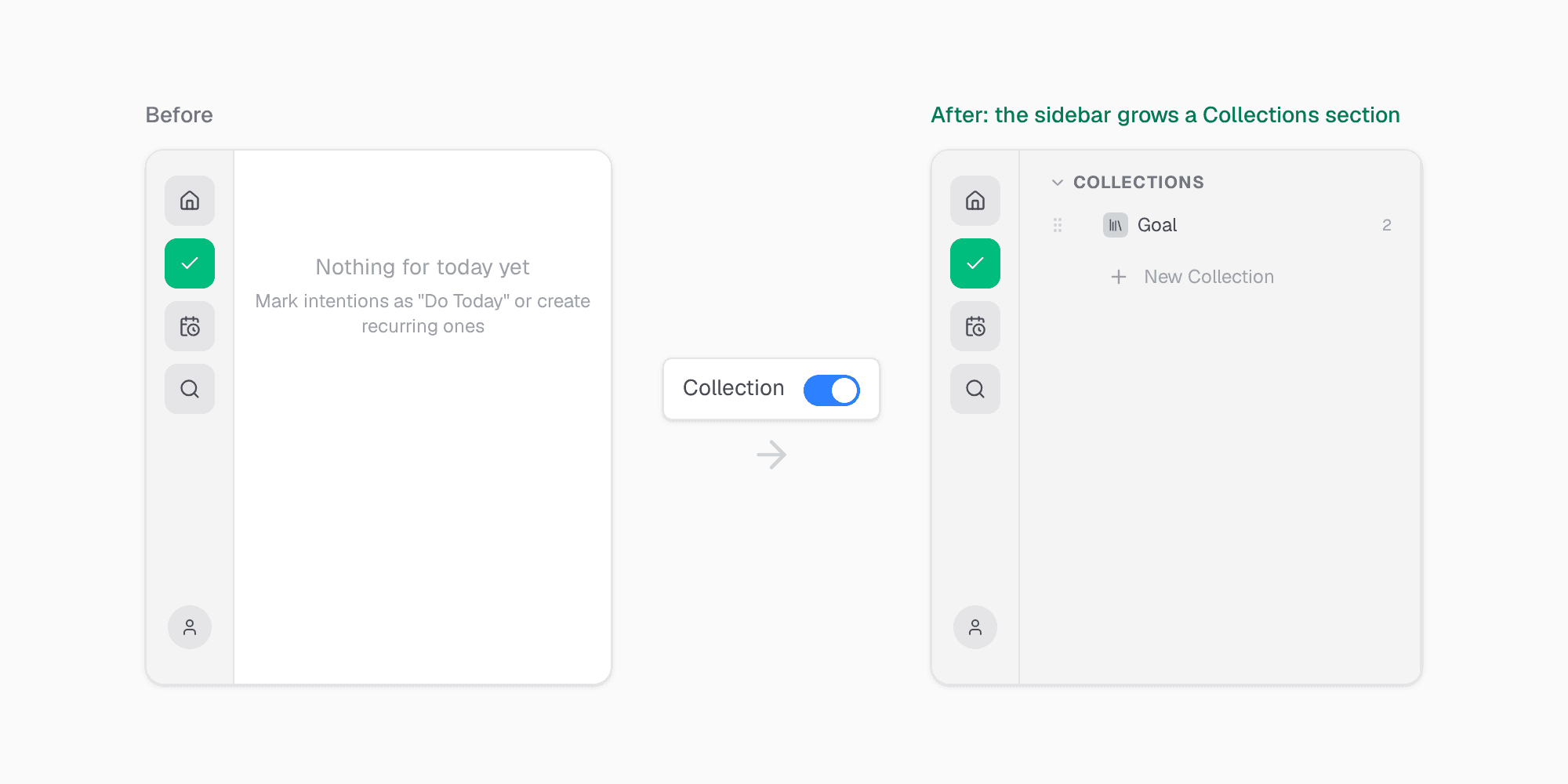
You added one feature, for one reason, at the moment you needed it. That is the whole method.
The best system is the one you stop thinking about
A good system disappears. You open it, you see what to do, you do it. You do not think about the system at all.
Start small this week: put three things on your Today page. Do not change a single setting until next Monday.
Try Clarity free. Thirty-day trial, no credit card required.