Give Each Part of Your Life Its Own Book
What did you learn about your health last month? About your kids? About money?
You probably learned something. A tip from your doctor. A thing that helped you sleep. A small moment that showed you how your daughter learns. But where is it now? In a chat with yourself, a screenshot, a notes app sorted by date, somewhere between a meeting note and a grocery list.
Work gets a system: projects, docs, a board. The rest of your life gets what is left. And what you cannot find, you cannot use.
An old fix: the commonplace book
Hundreds of years ago, readers had the same problem, with paper. Their fix was the commonplace book: one notebook, with a heading for each subject. When they read or learned something worth keeping, they wrote it under its heading, not under the date. The philosopher John Locke even wrote a whole method for indexing one.
The idea is simple, and it still works. A commonplace book is not a diary. It does not care when you wrote something. It cares what it is about.
Headings, not dates
Most notes apps sort by date. That answers the question when did I write it? But that is almost never the question you have. The question you have is what do I know about sleep? or what did we try for my mum's birthday last year?
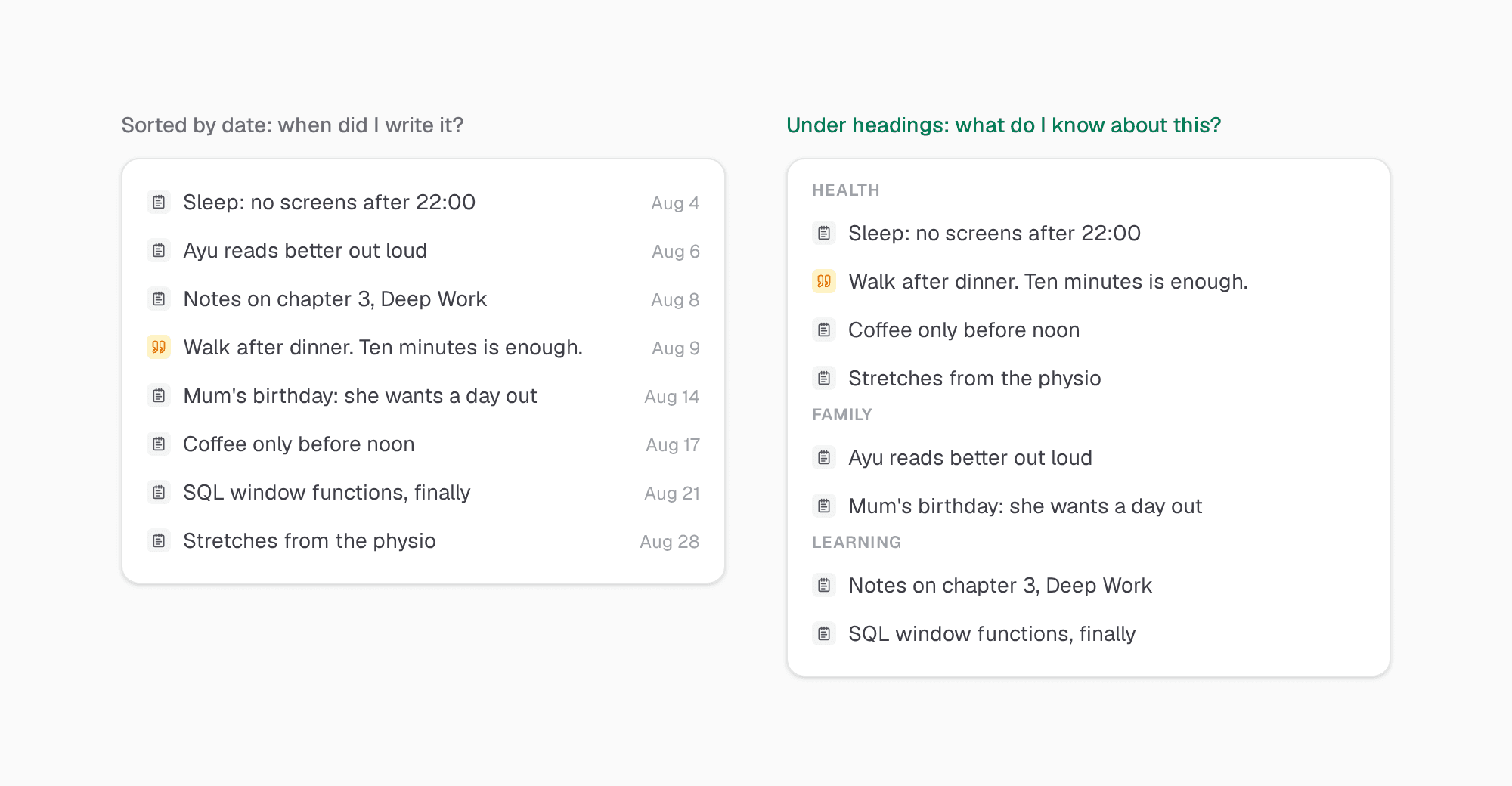
Under headings, each part of your life gets its own space. Health stops competing with work for room in the same list. And when you open the Health heading, everything you know about your health is there, in one place.
A few headings only
It is tempting to make forty headings, or forty tags. Do not. Clarity is built for people who want to focus on less, and that applies here too.
Make one heading for each part of your life that you want to grow. For most people that is three to five: Health, Family, Learning, maybe Work. If a note does not fit any of them, you probably do not need to keep it.
It only works if you read it again
A commonplace book was meant to be read again. That is the part most notes apps skip. You save a note, and you never see it again.
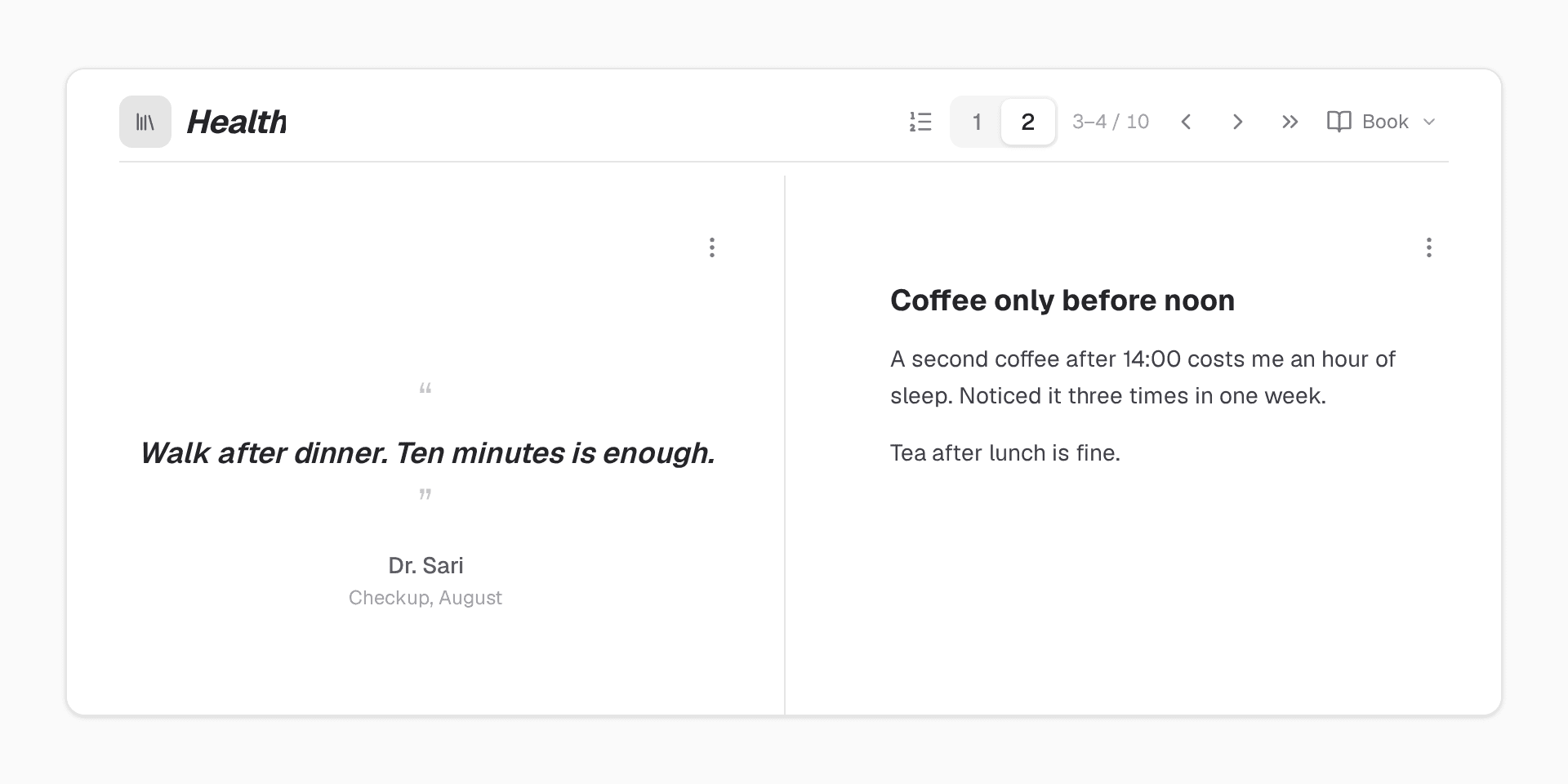
In Clarity, a collection can be read as a Book. It opens on a contents page, with every note listed by month and its page number. Then one note per page, two pages side by side. Flip with the arrow keys, like paper.
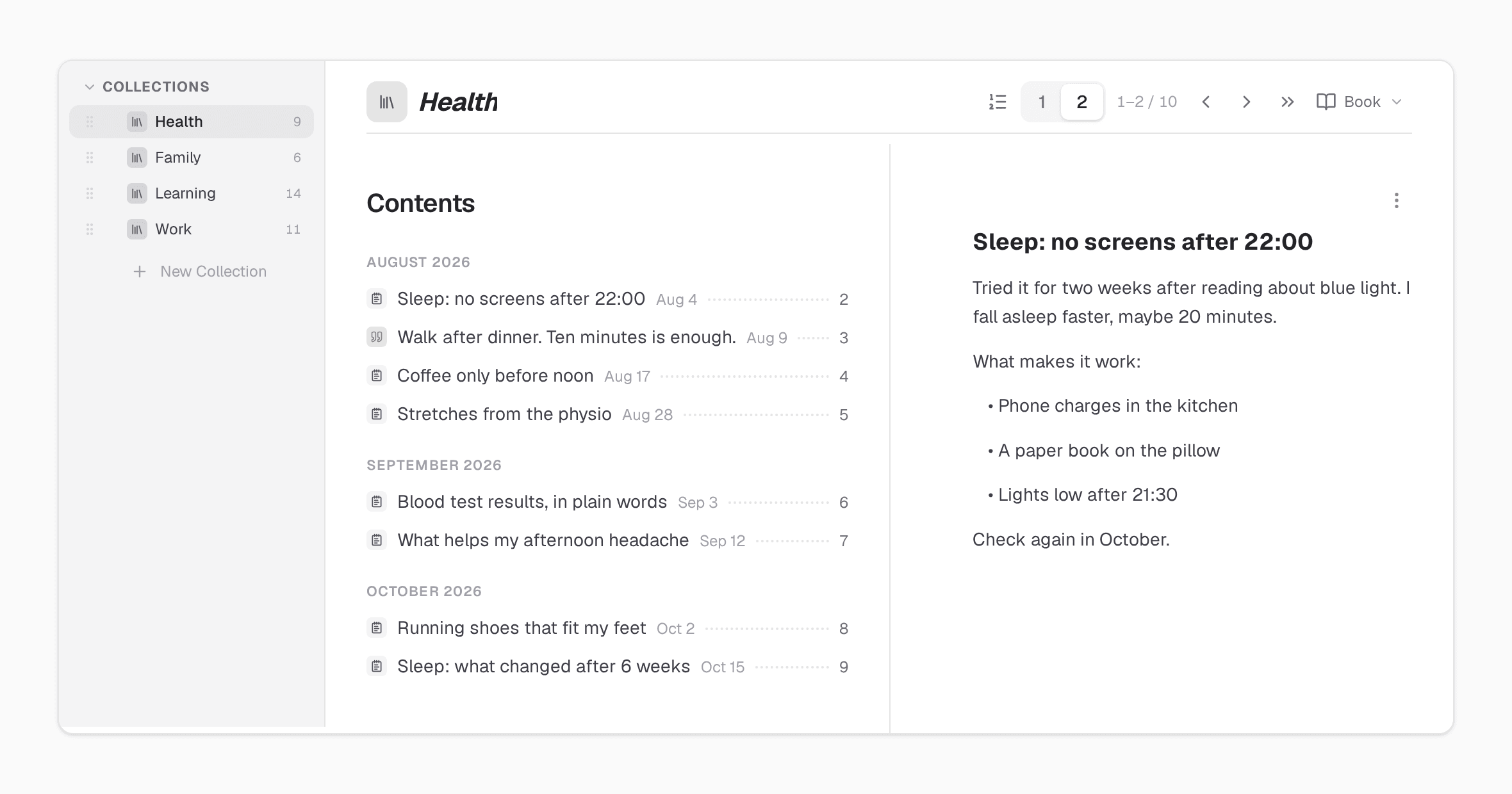
I keep a book for Health and one for what I read. On Sunday, I flip through one of them for ten minutes. Not to add anything, just to read. Every time, I find something I had forgotten, and every time, it is still useful.
Set it up in Clarity
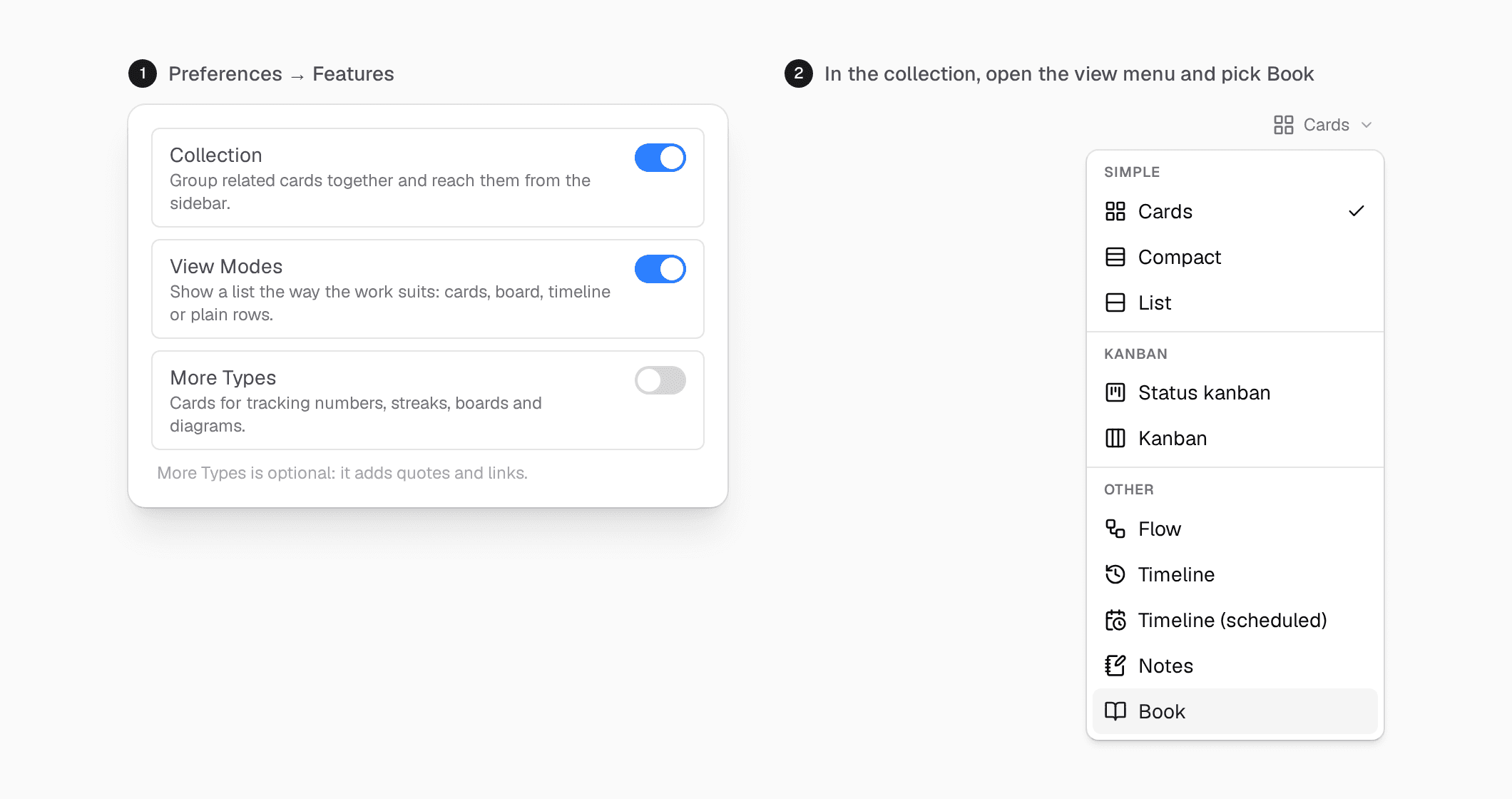
- Open Preferences → Features and turn on Collection and View Modes. If you also want quote and link cards, turn on More Types.
- In the sidebar, click New Collection once for each part of your life. Start with three.
- Add notes to a collection. Write what you learned in your own words, short.
- Open the view menu at the top of the collection and pick Book.
Do not move all your old notes in. A commonplace book grows one note at a time, from today.
Start with one heading
Pick the part of your life that gets the least space right now. Make one collection for it. This week, every time you learn something about it, write one note. On Sunday, open it as a book and read it.
If you also want to move that part of your life forward, not only learn about it, see You Had a Goal Last Month. Do You Remember It?
Try Clarity free. Thirty-day trial, no credit card required.