The Angry Little Face That Fixed My Habits
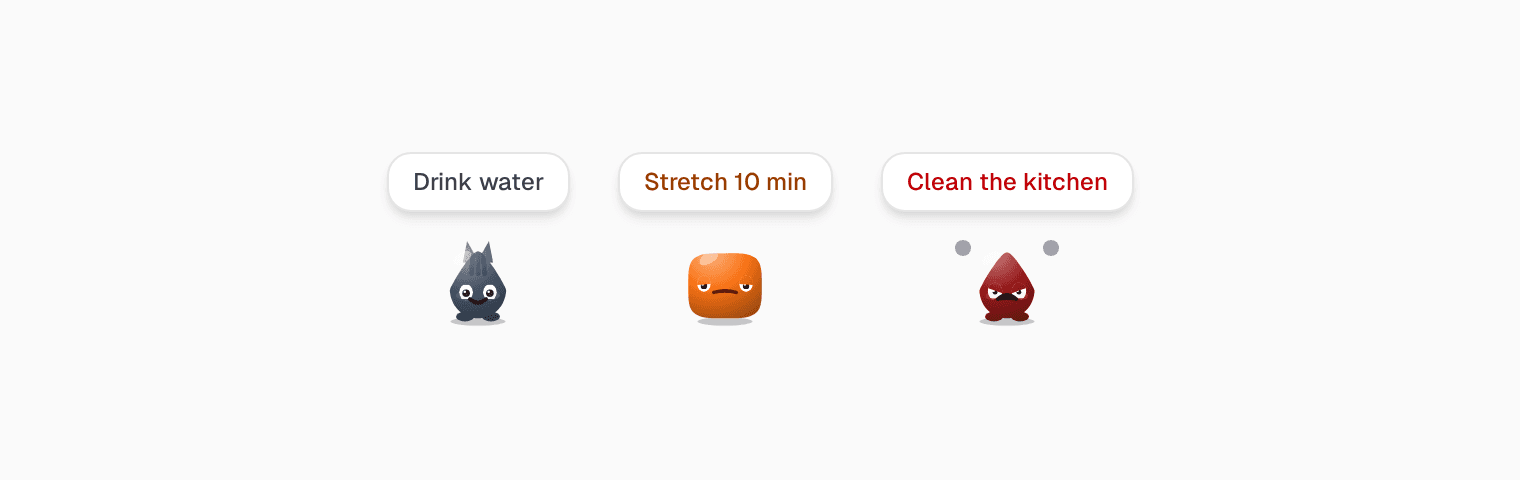
There is a small red face in the corner of my screen. It has been there for fifteen minutes. Its eyebrows are down, its teeth are clenched, and little puffs of steam come off its head.
It wants me to clean the kitchen.
And honestly? I feel a bit sorry for it. So I get up and clean the kitchen.
What I tried before
The habits I struggled with were not hard ones. Drink enough water. Stretch for ten minutes. Keep the kitchen clean. Small things that I knew were good for me, and still did not do.
I tried habit trackers. They gave me checkboxes, streaks and charts. I used them for a week or two, then I stopped opening them. A checkbox does not care if you skip it. A streak number going back to zero is a little sad, but it is just a number.
I tried phone reminders. They worked until they did not. A notification takes half a second to swipe away, and after a few days my thumb did it before my brain even read it.
The problem was the same in both cases: they had no emotion. Nothing in them made me feel anything when I ignored them.
So I built a face
In Clarity, every habit has its own little bot. When a habit is due, its bot appears in the corner of the screen, with the habit's name in a speech bubble. And it does not leave by itself. It stays until you do the habit, dismiss it, or the day ends.
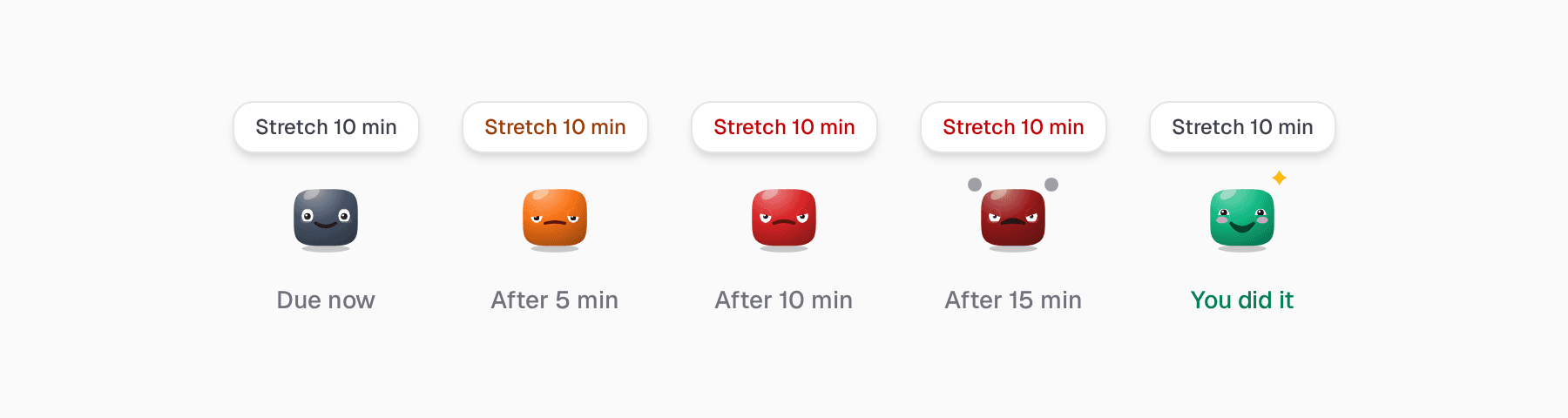
If you ignore it, its mood changes:
- Due now: calm and happy, bobbing gently.
- After 5 minutes: annoyed. Orange, half-closed eyes.
- After 10 minutes: angry. Red, eyebrows down, a little shake.
- After 15 minutes: furious. Dark red, teeth clenched, steam coming off it.
And when you finally do the habit, it turns green and beams at you.
Why it works (for me)
I did not expect this to work as well as it did. A furious face is a little silly. But when it goes furious, I feel guilty. I feel sorry for it. I want it to be happy again.
That is the whole trick. A notification is a message, and you can ignore a message. A face is someone. It is much harder to ignore someone who is clearly upset, even when that someone is a small cartoon on your screen.
Guilt, a bit of sorry, and a strange amount of care for that little face. That is what finally got me to drink my water.
When you are already on it
Click a bot and it opens a small window with one big button: Done for today. For water it shows glasses, and for a counter habit it shows a number to count up.
Sometimes you have already started, and it is not fair to be yelled at while you work. So there is Working on it. The bot turns violet, puts on a sweatband, and waits patiently. No sulking while you are busy.
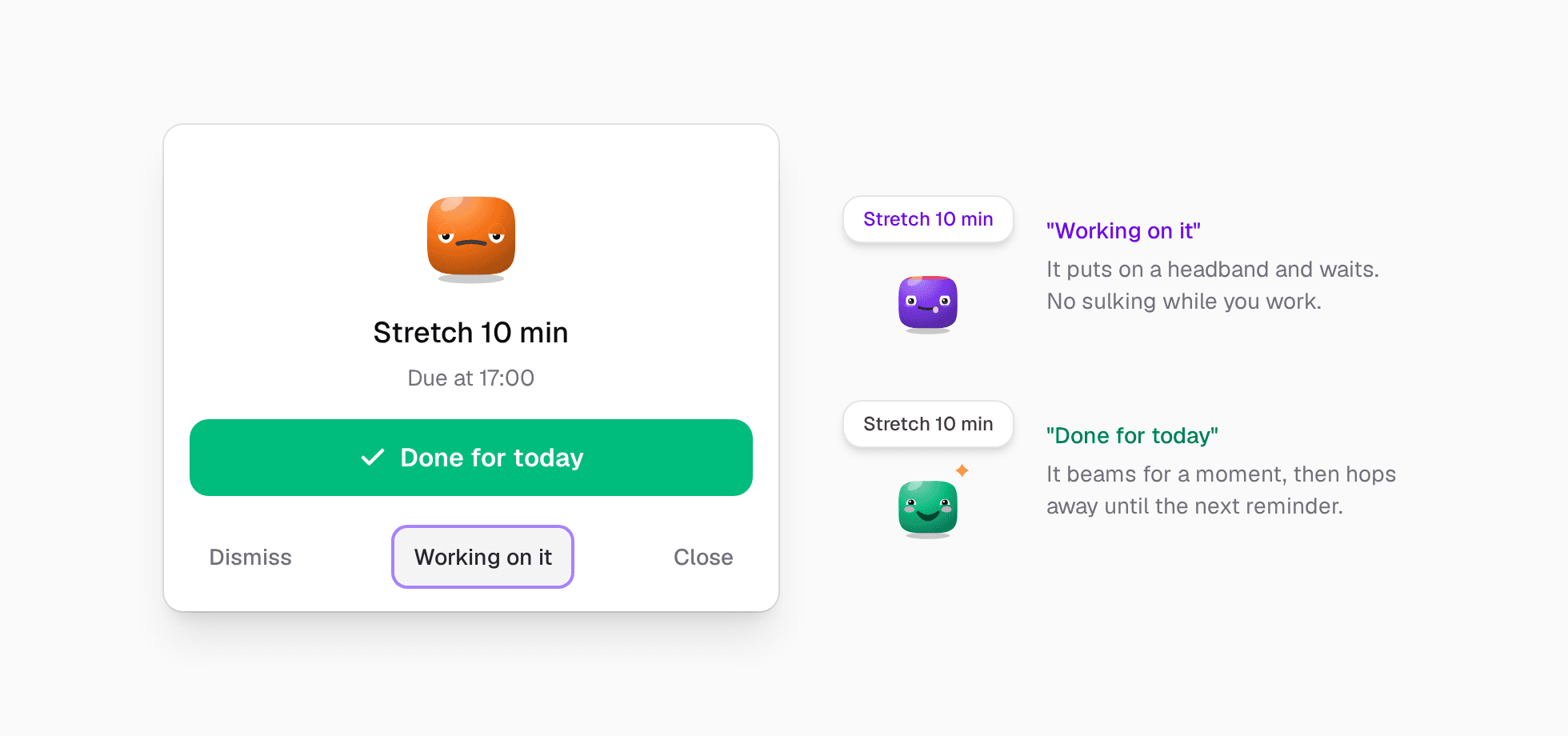
When you tap Done, it beams for a moment and hops away. It comes back at the next reminder, calm and happy again, ready to give you another chance.
Make your own little face
It takes about a minute.
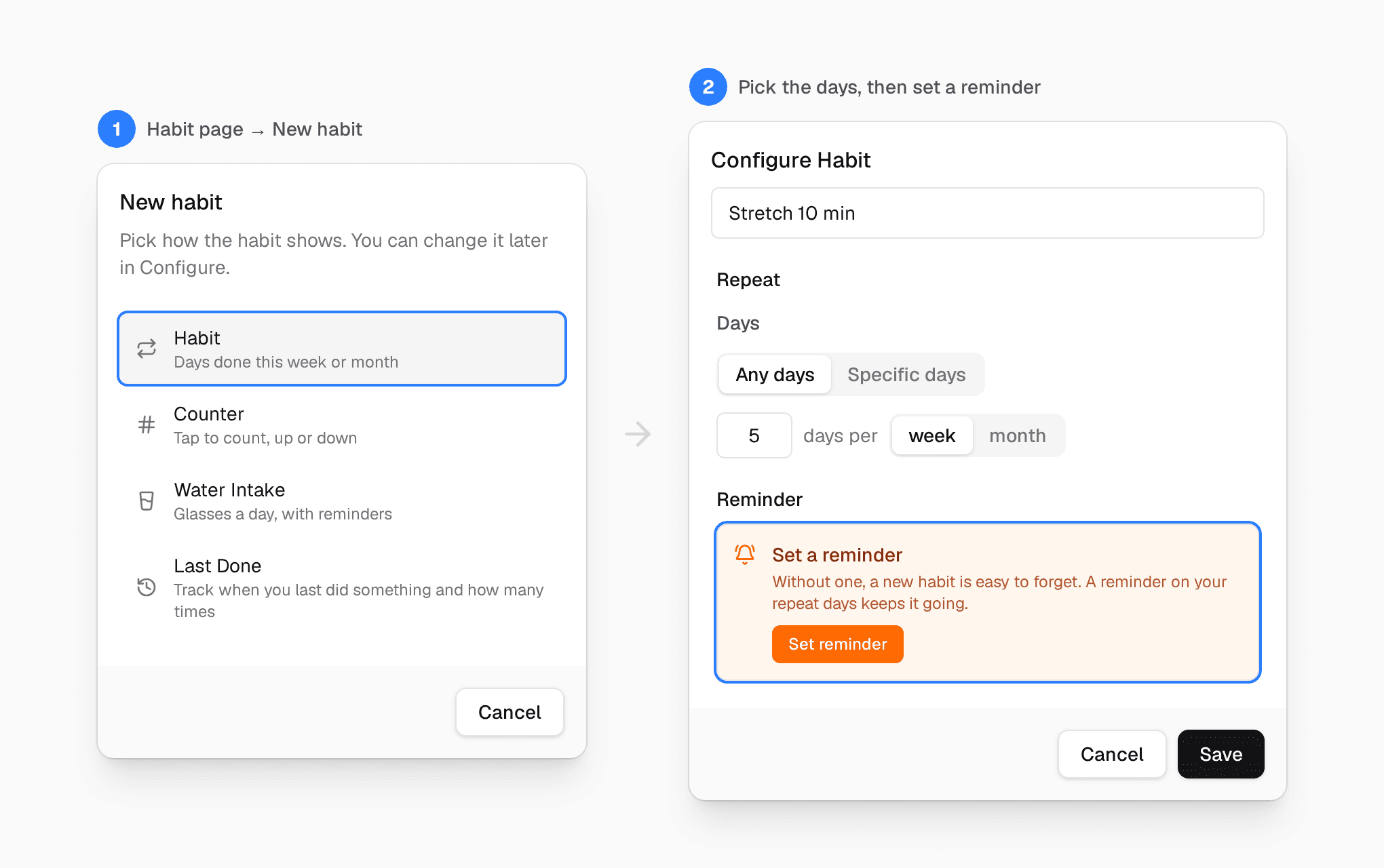
- Open Preferences → Features and turn on Habit.
- Open the Habit page and click New habit. Pick Habit, Counter or Water Intake.
- Give it a name, choose how often, and click Set reminder. The reminder is what brings the bot. Without one, there is no face.
Then just wait. When the habit is due, your bot will be there in the corner. Try ignoring it for fifteen minutes. I dare you.
If notifications never worked for you
I built this because plain reminders and habit trackers never worked for me. If they never worked for you either, maybe what was missing was not discipline. Maybe it was a face.
Start with one habit. Just one. Let its little face keep you company.
Try Clarity free. Thirty-day trial, no credit card required.