A Short List, Kept Until It Is Done
A daily to-do list starts fresh every morning. That sounds clean, but it has a cost. What you did not finish yesterday either disappears, or you copy it again. After a week of copying, the list is long, and you can no longer see what matters and what is just old.
The opposite does not work either. A list that keeps everything forever grows until nobody reads it.
What works is in between: a short list that does not reset, where each item stays until it is done. In Clarity, that list is called Things.
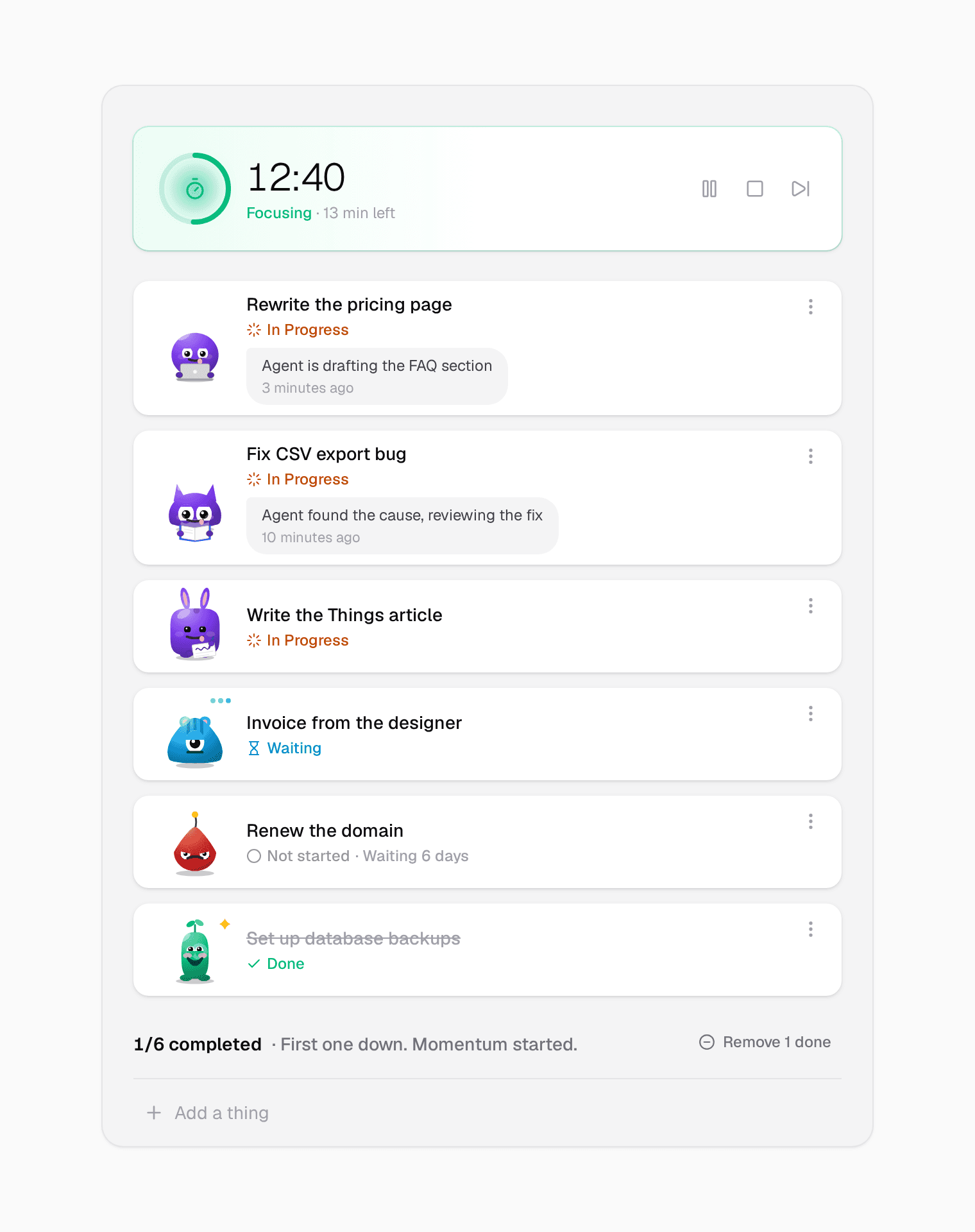
Short on purpose
Things is for the few things you want to do or are doing now. Not every idea, not every someday task. There is no paging and no infinite scroll. A list long enough to need pages has stopped being a short list.
Type in the bar at the bottom, press Enter, and it is on the list. Drag to change the order. When something is done, it stays on the list with a line through it, so you can see what you finished. One click on Remove done clears them.
Every thing has a face
Each thing on the list gets its own face, and no two faces on the list are the same. The face shows how that thing is doing:
- Not started: happy for the first two days. Then it starts to sulk: annoyed after 2 days, angry after 5, furious after 10.
- In Progress: busy, doing something with its hands: typing, reading, writing.
- Waiting: for something that is on someone else, such as a reply or an invoice. It waits patiently, and it does not sulk.
- Done: it beams.
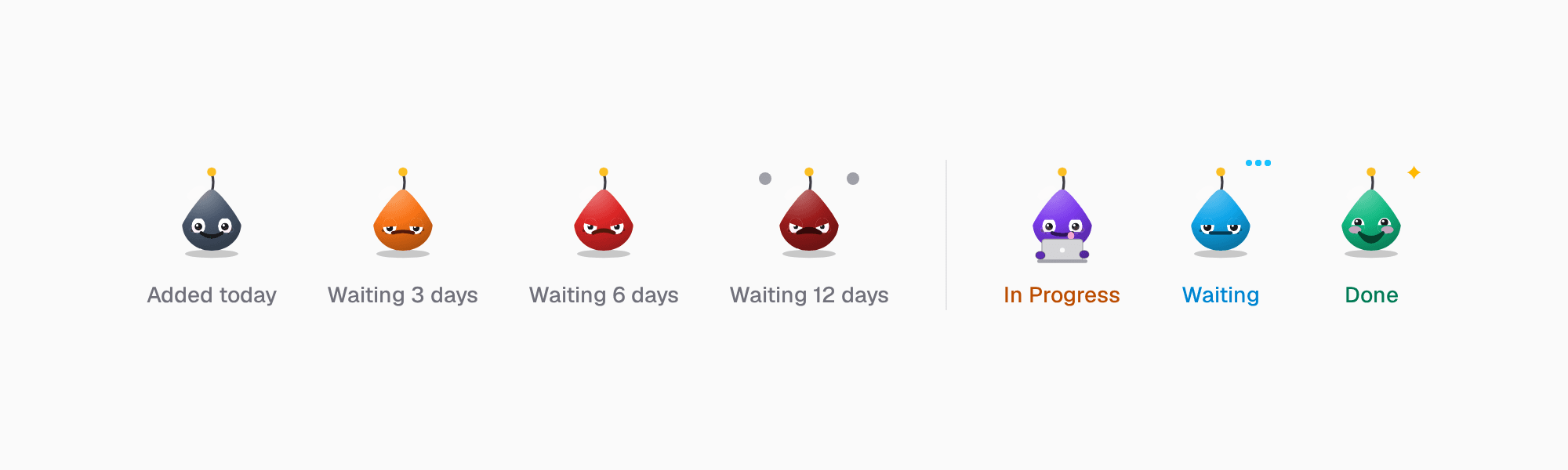
An old item on a normal list is just a line of text. On Things, it is a face that gets angrier every few days. So a thing cannot hide at the bottom for a month. You either start it, or you admit you will not, and remove it. Both are decisions, and both keep the list honest.
Click the small chat icon on a thing to add a status update: one line about where it is. The newest one shows under the title, like a chat bubble, so you can see where you stopped without opening anything.
Focus is not one task at a time anymore
For a long time, I worked on one thing at a time. That was the rule of focus: one task, no switching, until it is done. Deep work needed my whole attention, so the work could not be split.
That is no longer true for me. With AI agents, I can have several things moving at once. One agent drafts a page while another looks for a bug, and I review, decide, and write. My list now has several things In Progress at the same time, and that is fine.
So focus means something different now. It is not about one task. It is about protecting a block of time from distraction, and using it to finish what is on the list, all of it, in parallel if you can.
The timer is for the time, not for one task
That is why Things has the focus timer at the top of the list. It looks like one more row, with a ring where a face would be. It is not attached to one item. Things is the list, and the timer is the time. Click Start, and work on whatever is on the list. The ring fills as the session runs, and the row tells you how many minutes are left. When the session ends, it offers a break. When the break ends, it offers the next session.
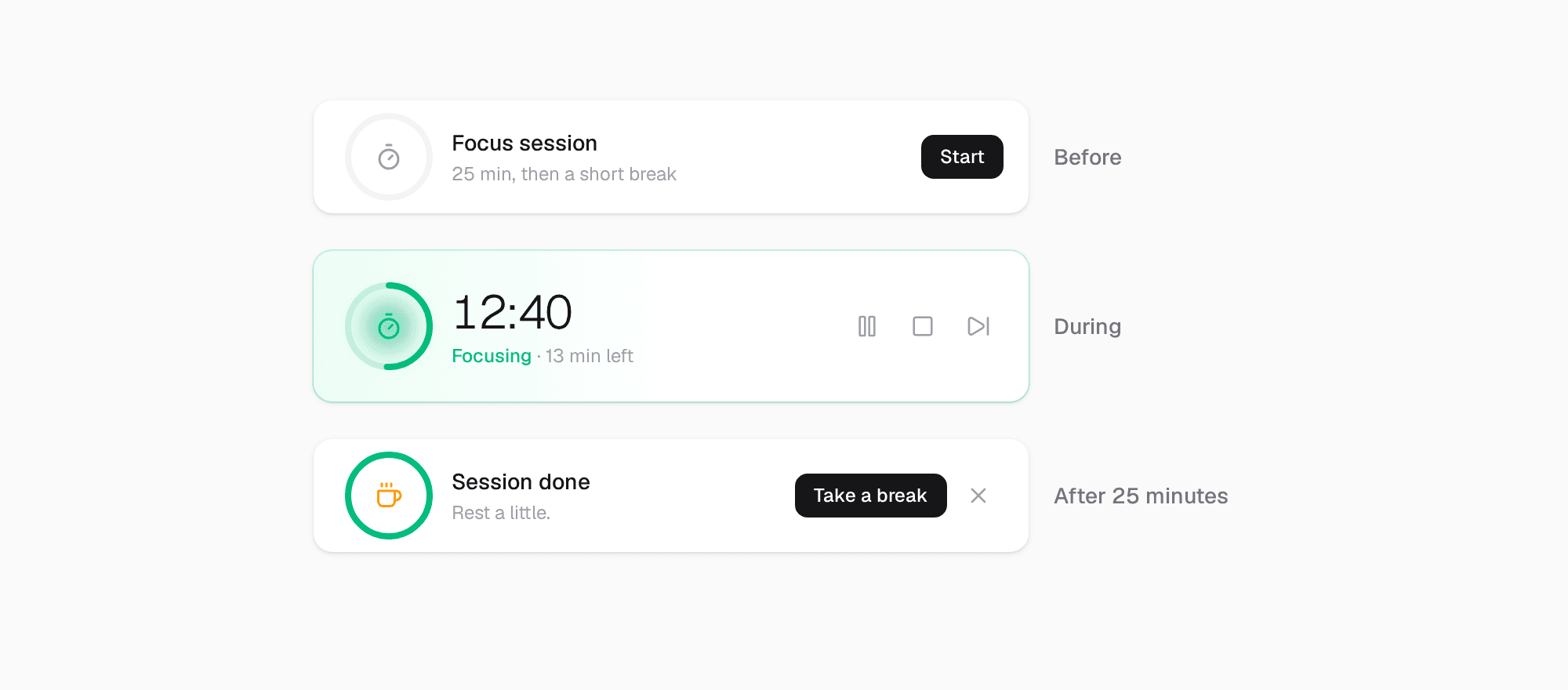
The timer tracks your focused time, so at the end of the day you know how much real focus you had, not only how many items you ticked.
And if you do not want a timer at all, turn it off. Things works fine without it.
Set it up
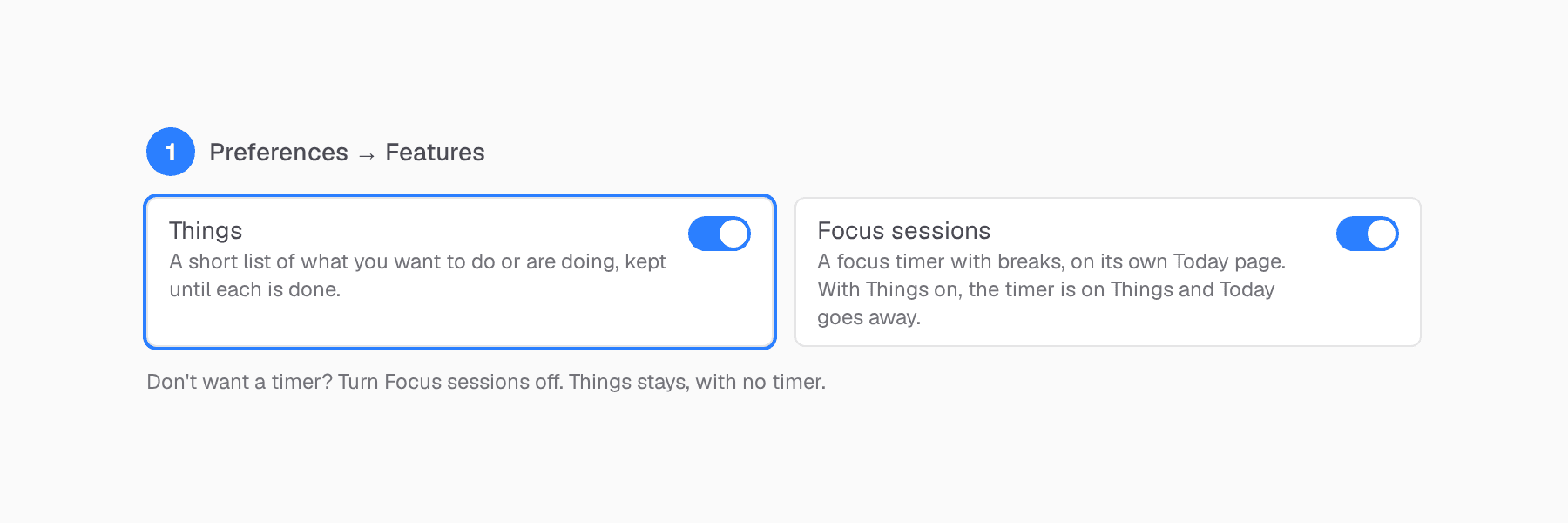
- Open Preferences → Features and turn on Things.
- Keep Focus sessions on if you want the timer. With both on, the timer moves to the top of Things, and the Today page goes away. Turn Focus sessions off for Things without a timer.
- Add a few things. Only the ones you want to do or are doing now.
Start with what is already in your head
Write down the few things you are already carrying around today. Not a backlog, just those. Then start a session and see how many faces you can make happy.
Try Clarity free. Thirty-day trial, no credit card required.